

MavenOSMoney
Know What's Safe to Take Out.
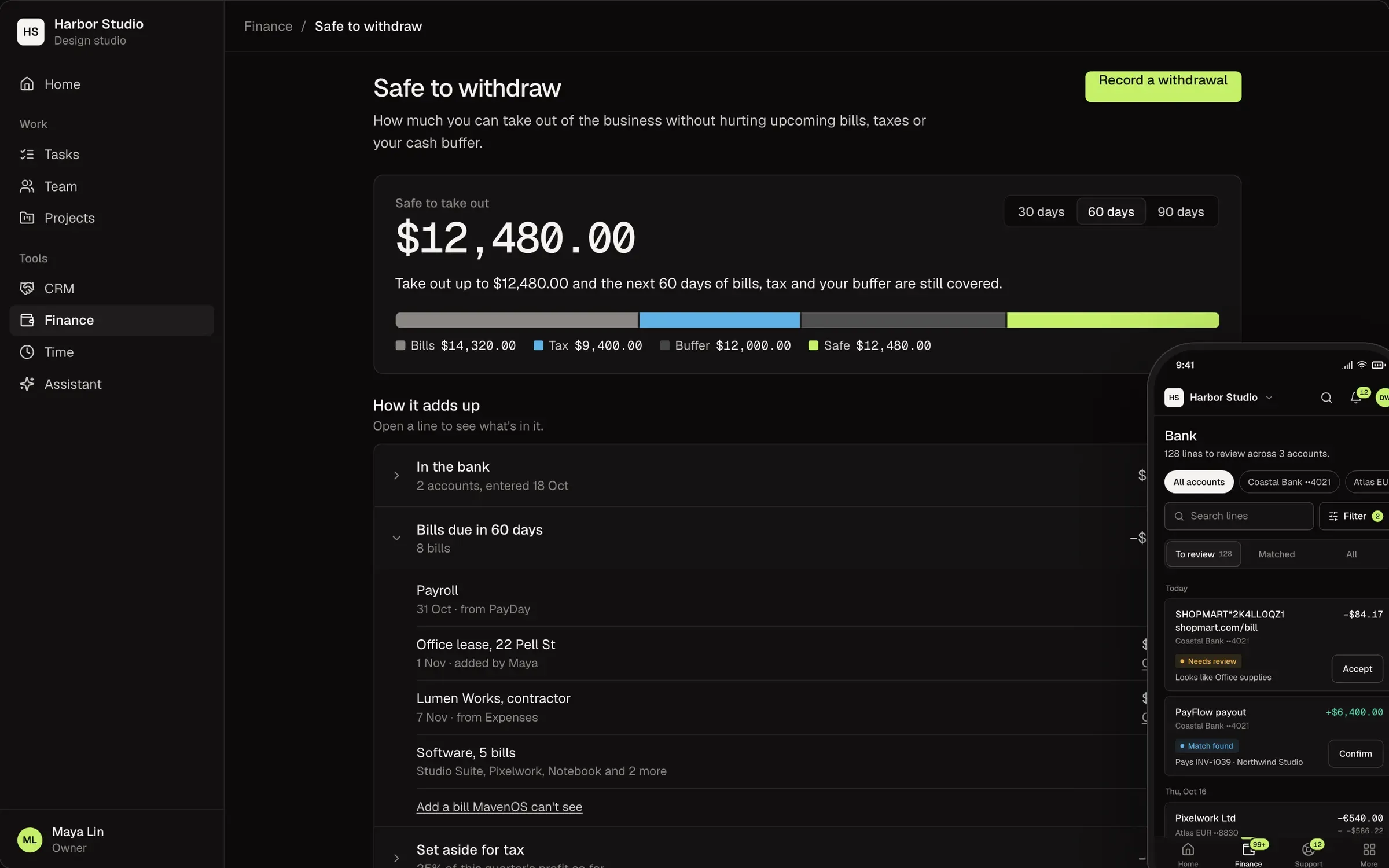
Stripe invoices, expenses, bank lines and reports in one place, sorted by your rules and explained in plain English. Then one number: what you can safely pay yourself over the next 14, 30 or 60 days, from the balance you enter.
Your Money, in Plain English.
What Most Tools Show
- Uncategorized128
- Owner draw capacity—
- A/R 31–607,140.00
- Gross margin39.8%
What MavenOS Says
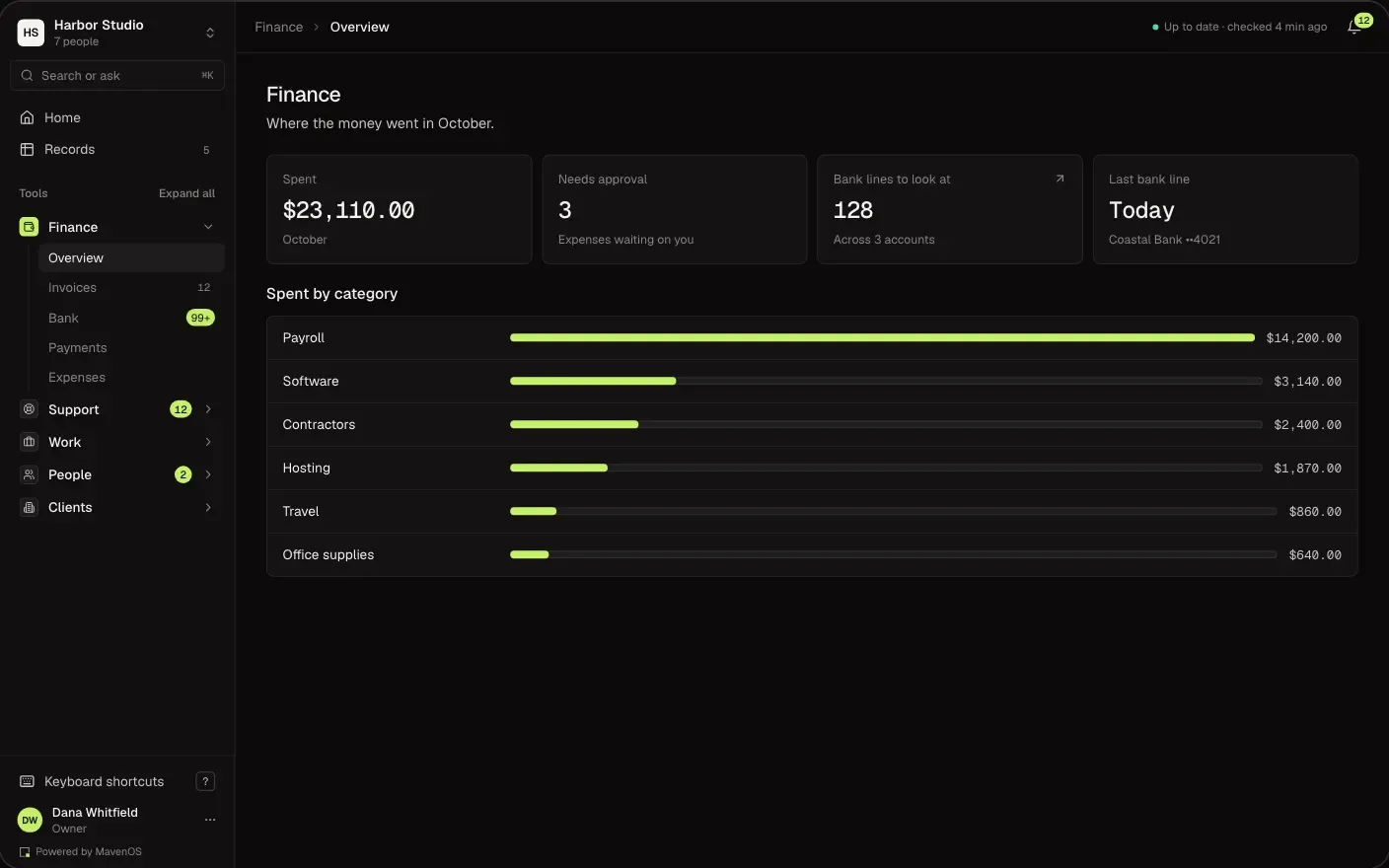
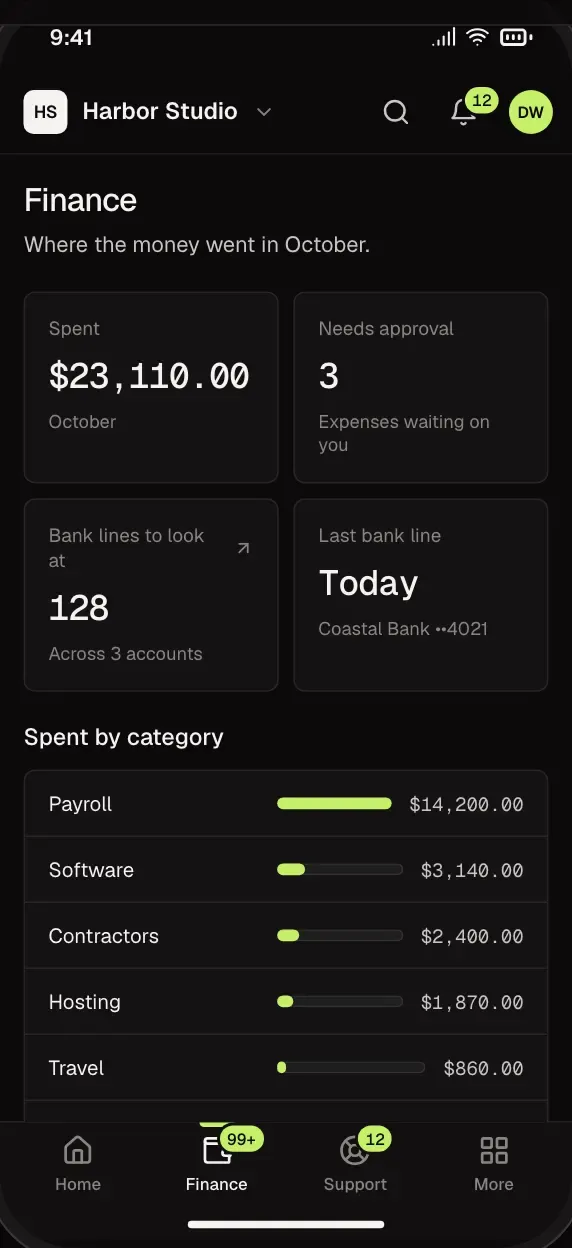
- 128 bank lines need a look. Your rules have filed some of them.
- You can safely take out 4,200 dollars over the next 30 days.
- Two clients are late paying you 7,140 dollars. The oldest is 7 days late.
- You kept 40 cents of every dollar you earned this month.
Safe to Withdraw
One Number Before You Pay Yourself.
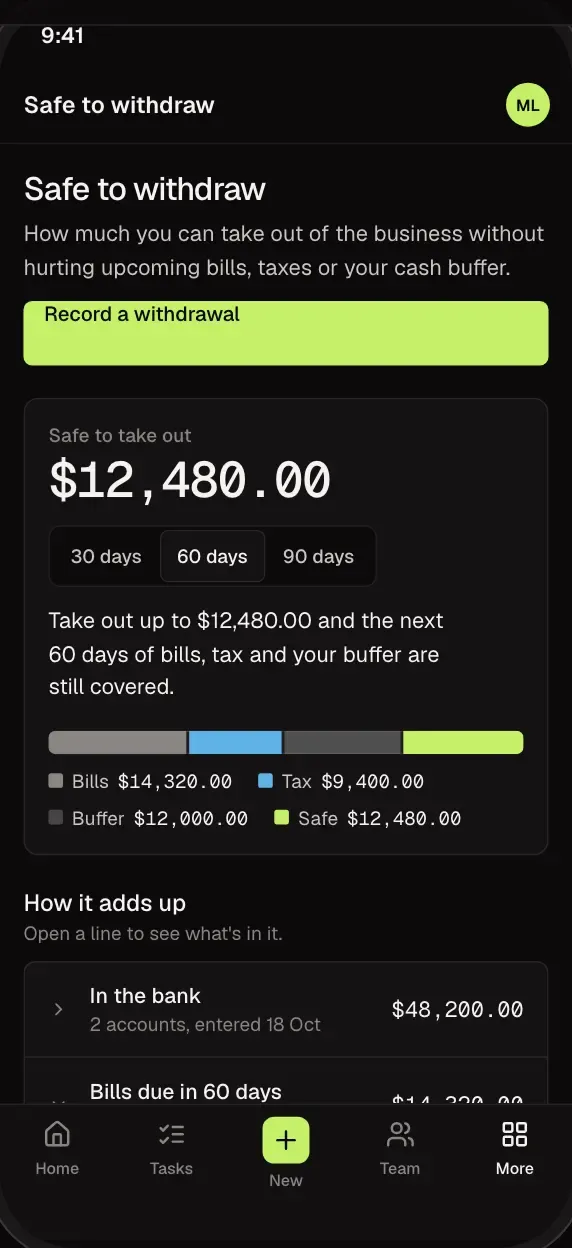
You type in your bank balance. MavenOS holds back what's already spoken for: bills coming up, a flat tax estimate and the cash buffer you choose. What's left is what you can safely take out, and every line behind it is shown. It's an estimate, not tax advice.
- See which bills and taxes are being held back.
- Pick the size of your cash buffer and a 14, 30 or 60 day window.
- Check it from your phone before you move money.
Bank
Clear the Bank Faster.
Upload a CSV statement. Lines your rules recognise are filed and waiting for your yes once they are in. Accept with a tap, change it, or ignore the ones that are not business.
- Money in is matched to the Stripe payouts and invoices that paid it.
- Turn any line into a rule, and it files the next ones.
- Set aside a filing that got it wrong.
Invoices
Get Paid Without Chasing.
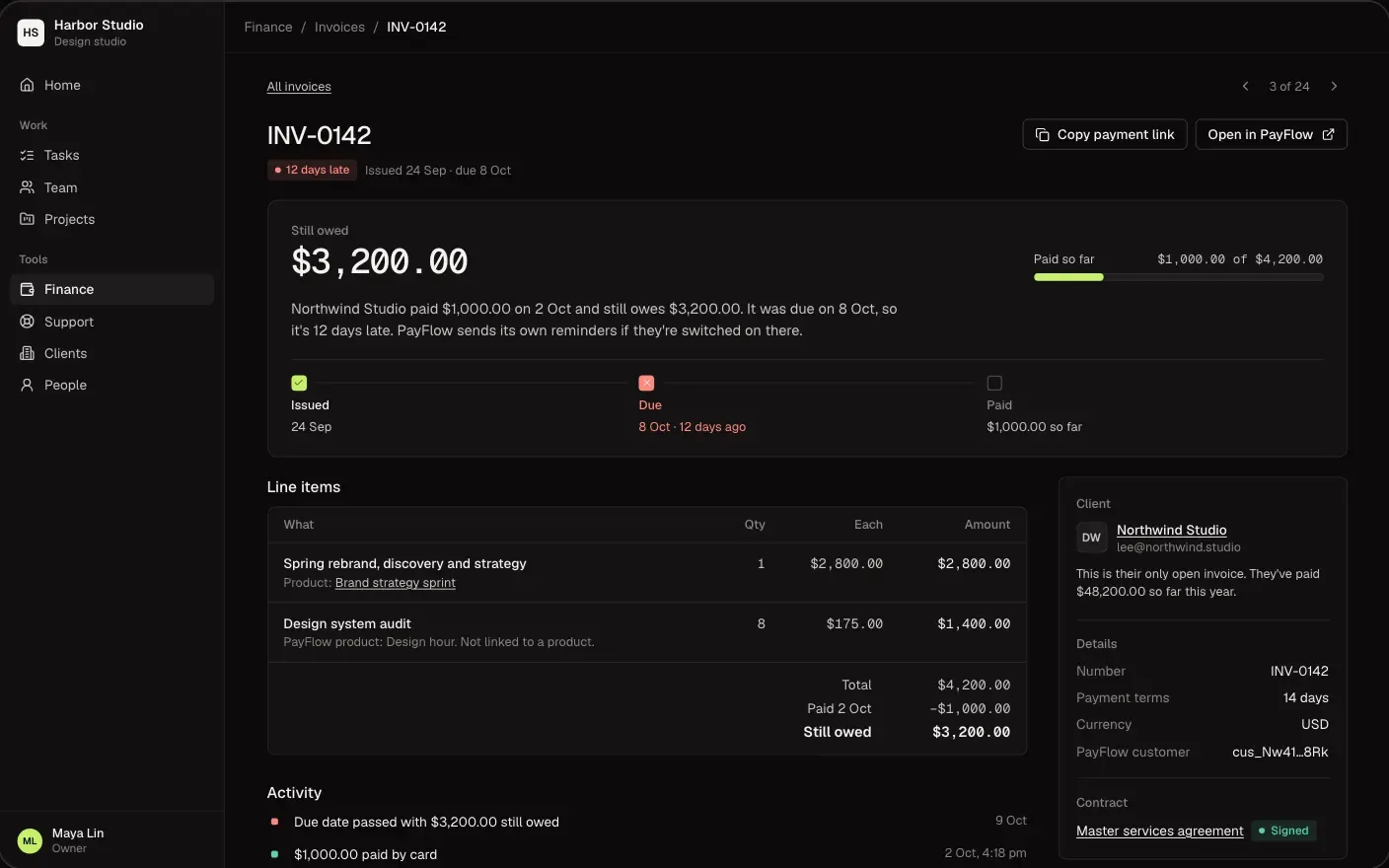
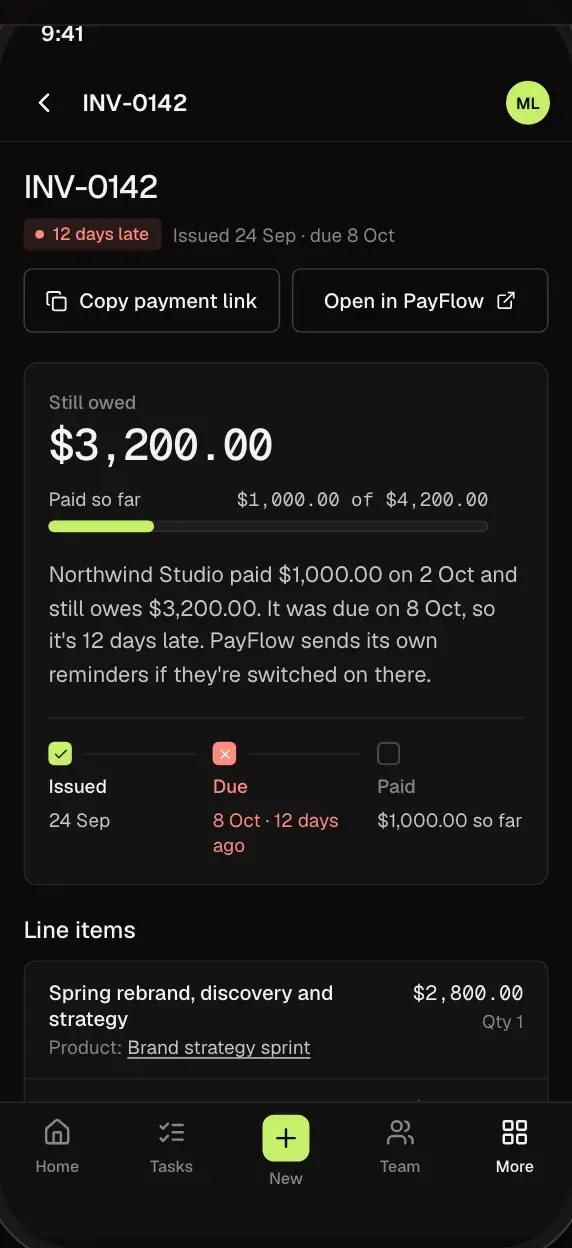
See who owes you on your Stripe invoices and how late they are. Clients can see their invoices in their portal. The owner can switch on online payment there, which needs a connected Stripe account.
- Late, due and paid, at a glance.
- Ask for a reminder on a late invoice and it's drafted for you to check. Nothing is sent by itself. Needs the Sales and Workflows tools.
- Online payment is off until you switch it on, and works for an invoice linked to one client.
Finance and Reports
Your Numbers, Explained.
Money in and out, revenue by client and by service line, and who owes you, each explained in plain English, with notes on what changed since the last period.
- Revenue by client and by service line.
- Notes that say what changed since the last period.
- Give your accountant the finance role so they see the money pages and the accountant pack.
Yes. MavenOS keeps your money records sorted and matched, so their time goes further. Give your accountant the finance role so they see the money pages and the accountant pack.
Upload a CSV statement and its lines come in, filed by your rules. Connecting your bank directly is not available yet. Spending in another currency shows the original amount and the rate beside the dollar amount, and totals stay in dollars.
No. It's the money you have, minus what's already promised. Your accountant still has the final word.
Partly. Move In reads a connected database laid out like Maven X's own, one area at a time, starting with Finance, and your old setup is only read. Excel (.xlsx, .ods) and CSV files, separated by commas, semicolons or tabs, bring over clients, contacts, deals and products. Other accounting tools are not supported.
Only owners, admins and people with the finance role. Members and viewers never see money, and clients only see their own invoices. Our support team sees money only if you grant it.
More of MavenOS.
All 15 ToolsRun the Business. Not the Spreadsheets.
We're letting businesses in a few at a time. Tell us a little about yours and we'll be in touch.