

MavenOSWork and Time
See Who's Doing What, and Track Every Hour.
Projects, tasks and timesheets that share the same clients and budgets. Know who has room, from the estimates on your tasks, and what's running over. Hours over a retainer are gathered each month into a draft invoice in Stripe for you to check.
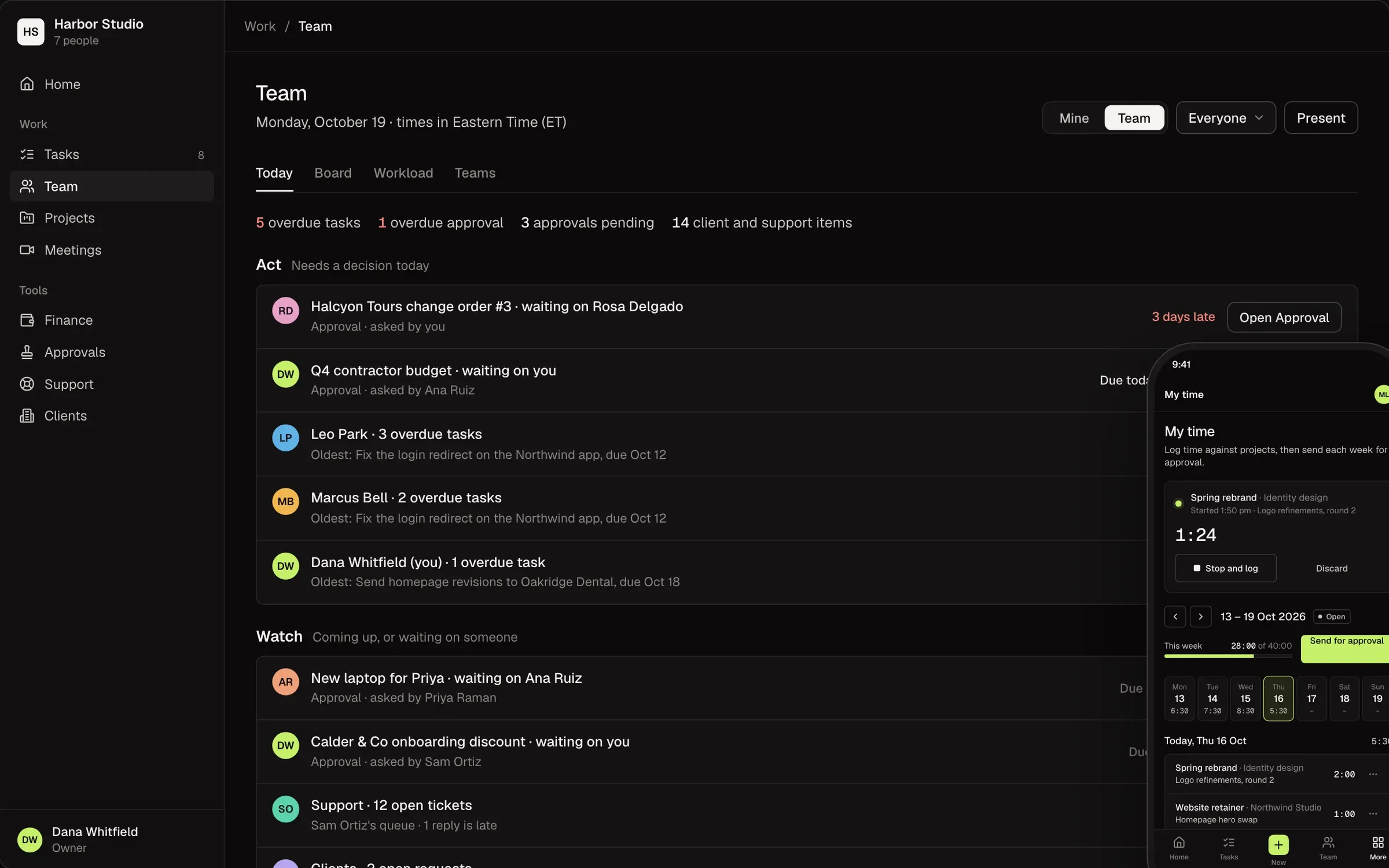
Your Week, in Plain English.
What Most Tools Show
- Utilization112%
- Unbilled hours14.5
- Budget burn86%
- Timesheet statusRejected
What MavenOS Says
- Rosa is booked past her week. Theo has room.
- 14½ hours went over the plan this month. A draft invoice waits for you.
- The Halcyon Tours site has 14% of its budget left.
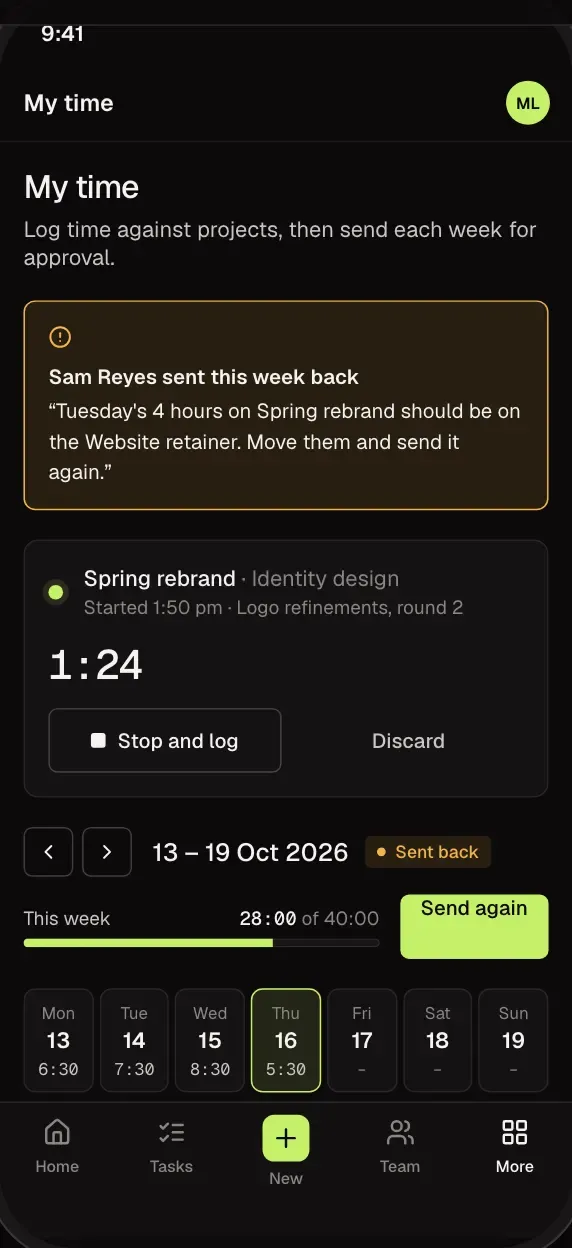
- Your week was sent back. The note says what to fix.
Tasks
One List, Four Ways to See It.
List, board, calendar and table views of the same tasks, and a Today view for your day. Everyone sees their own day first, and owners and admins can see the whole team's.
- Assign, set a due date and add notes from any view.
- Watch a task to hear when it changes.
- Private tasks are seen by their creator, the people assigned, and owners and admins. Everyone else only sees them counted in workload.
Workload
Know Who Has Room Before You Ask.
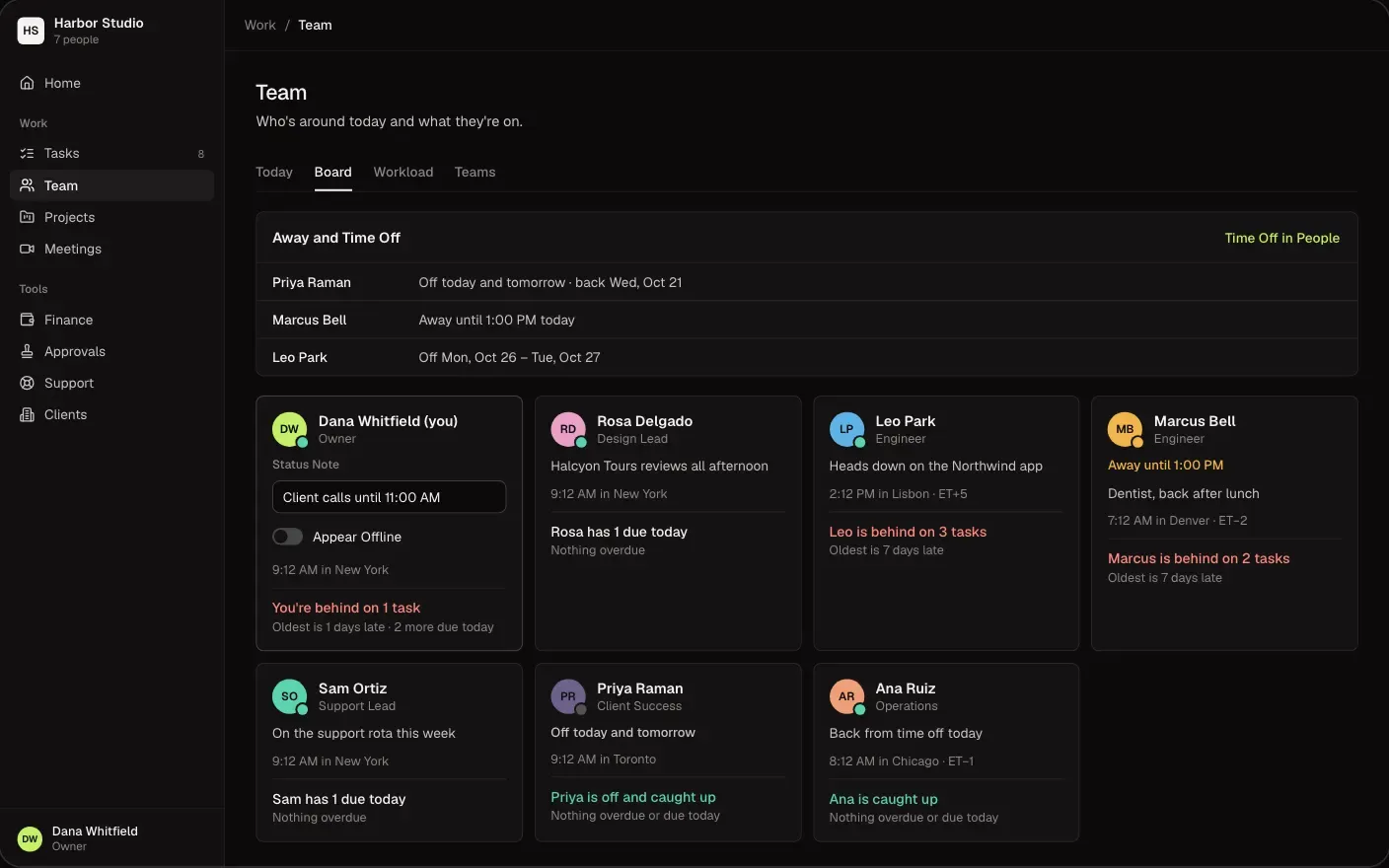
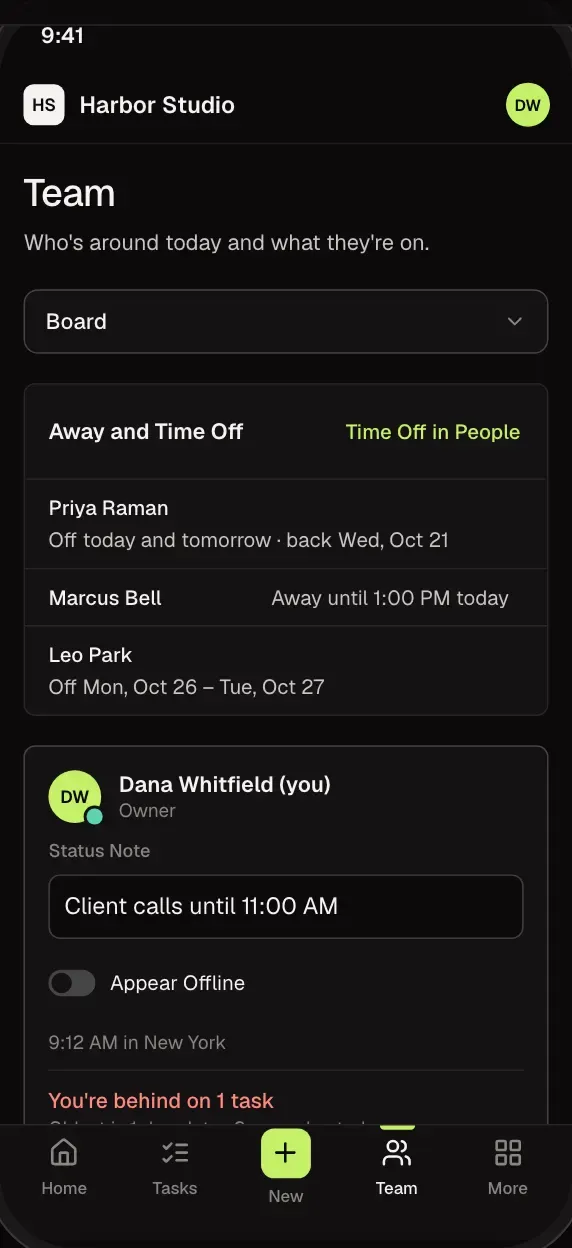
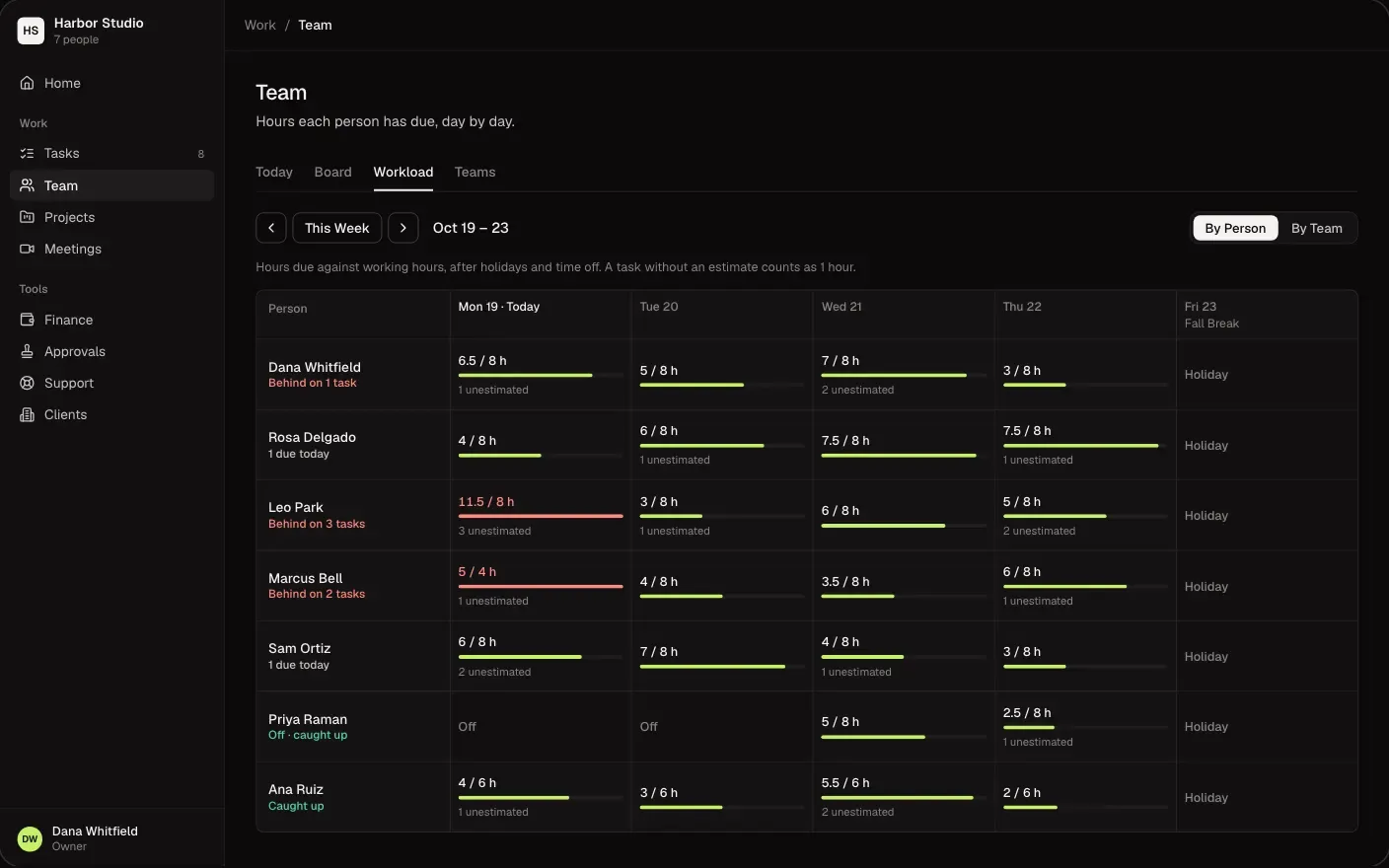
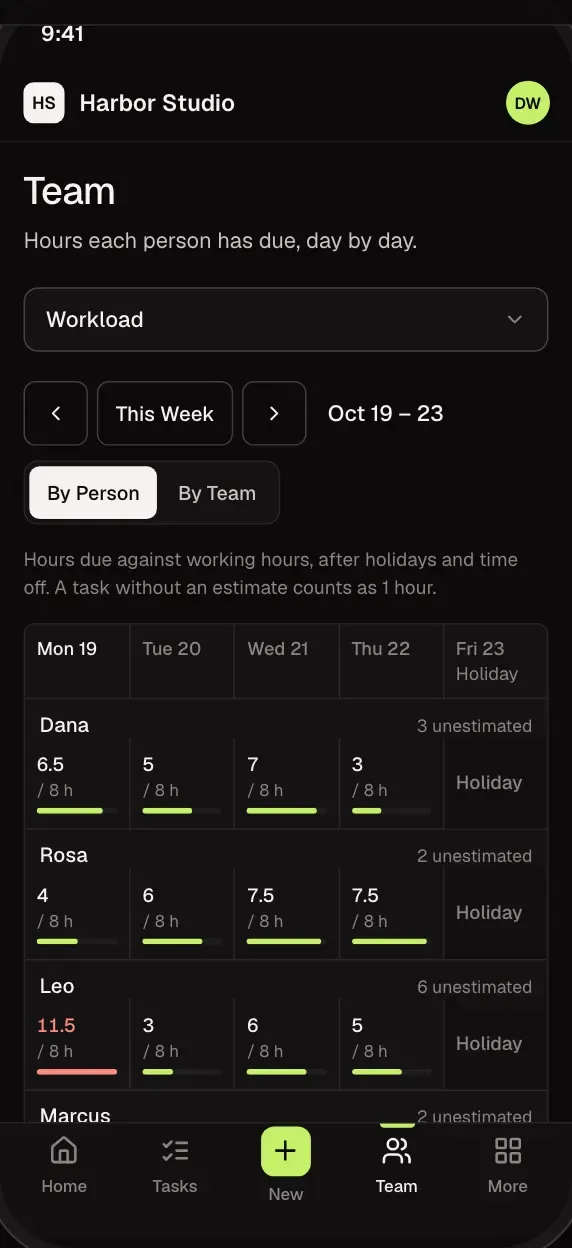
See how full each person's week is before you hand out the next job, from the estimates on your tasks, in their own working hours and time zone.
- Booked hours against each person's week.
- Who's over and who's free, at a glance.
- Time off (with the People tool) and non-working days are taken out.
Time
Timesheets That Actually Get Filled In.
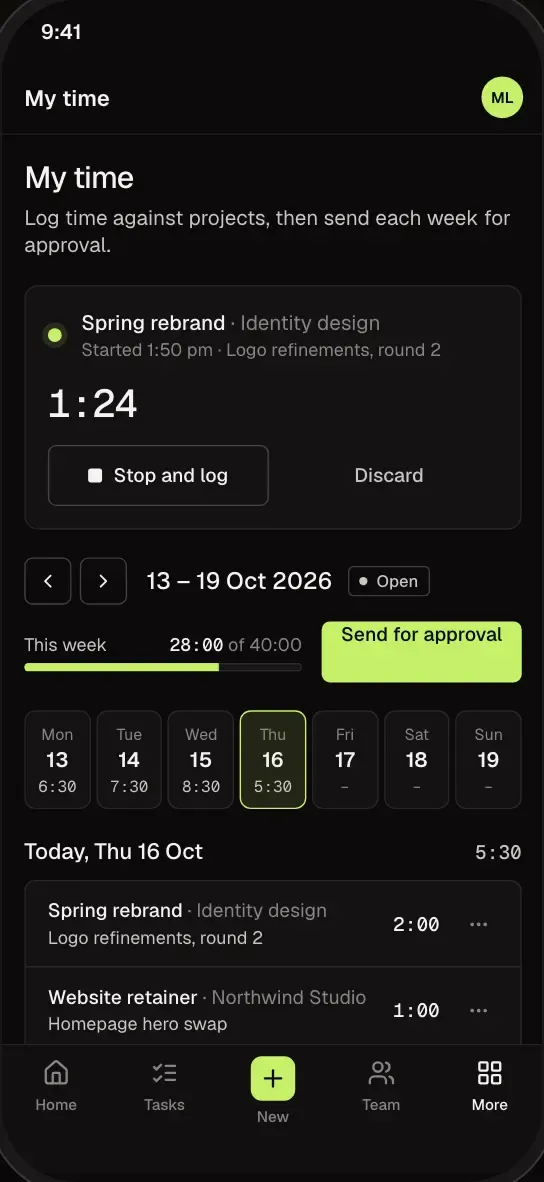
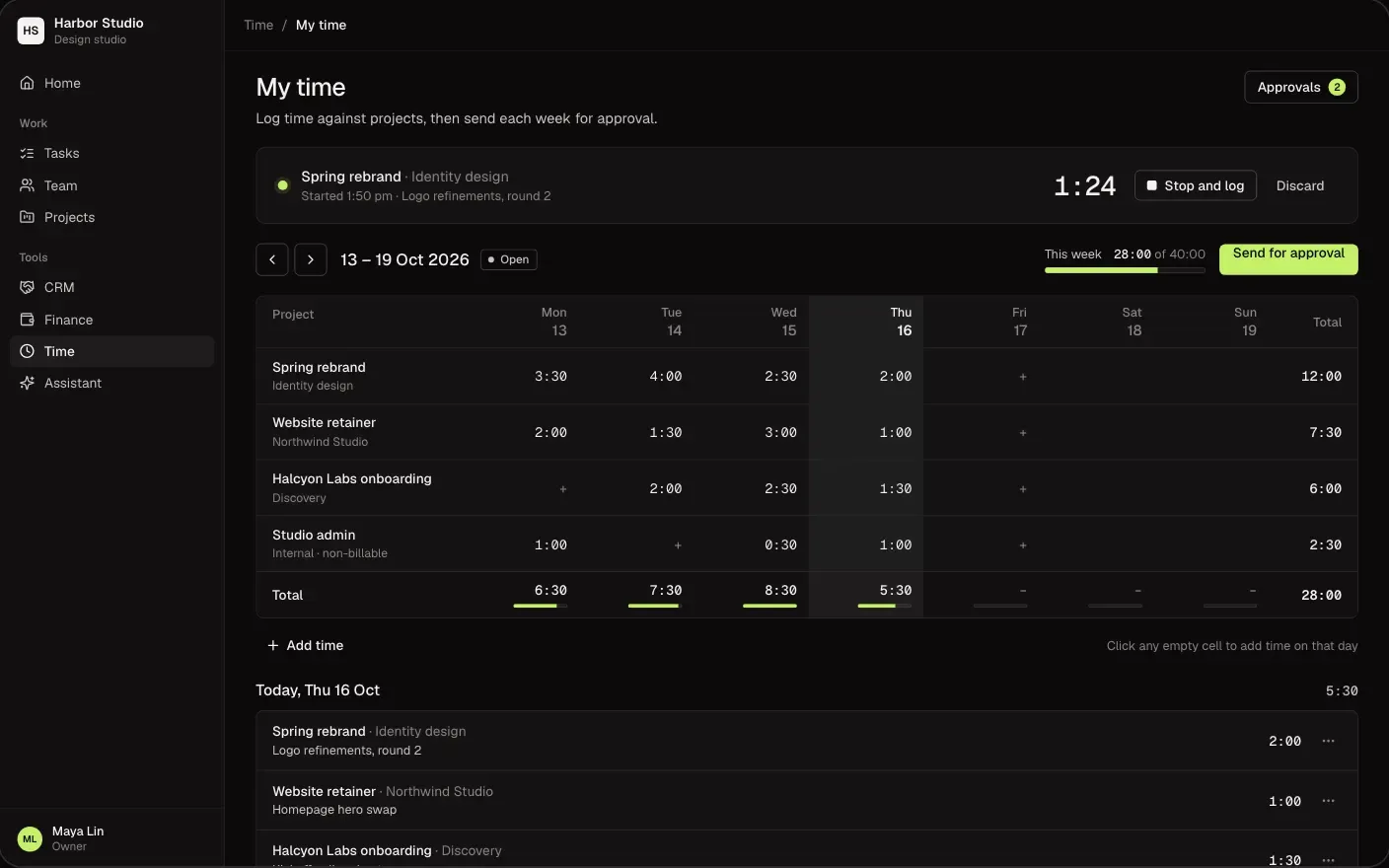
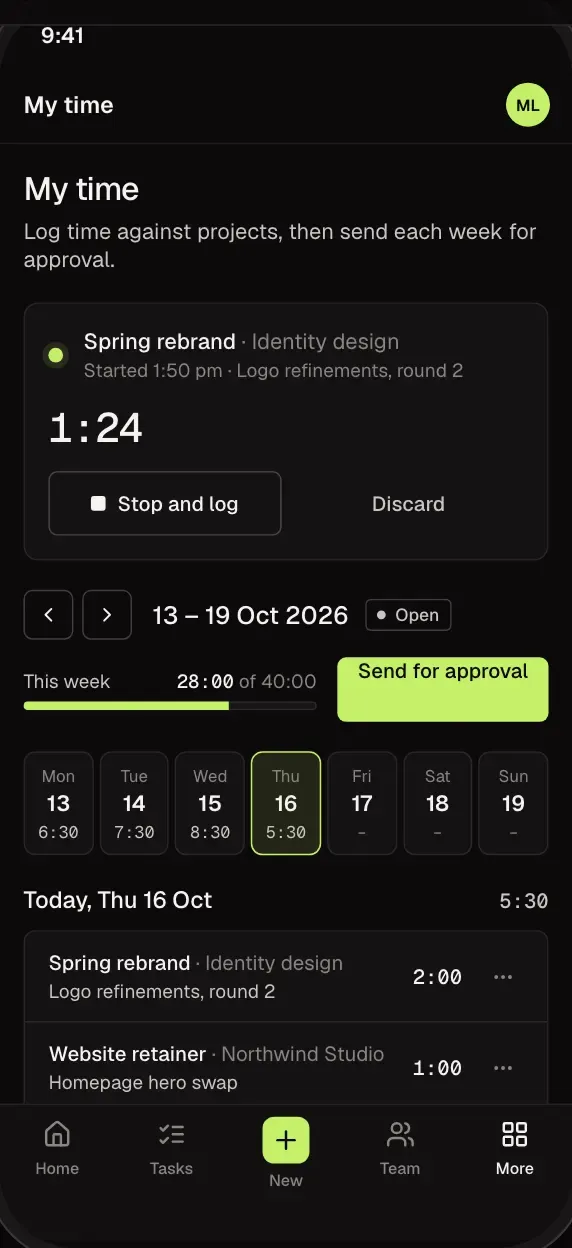
Start a timer or add hours afterwards. The week is on one screen, and one button sends it for approval.
- Tap an empty day to add time to it.
- Time goes against a client and project, so budgets stay current.
- Fits on your phone, with a week built for it.
Approvals
Approve the Week in a Tap.
Approvers review timesheets from the Time page. A sent-back week leads with their note, so nobody has to guess what to fix.
- Approve, or send back with a note.
- Retainer hours over the plan become a monthly draft invoice in Stripe for you to check.
- Budgets show where each project stands.
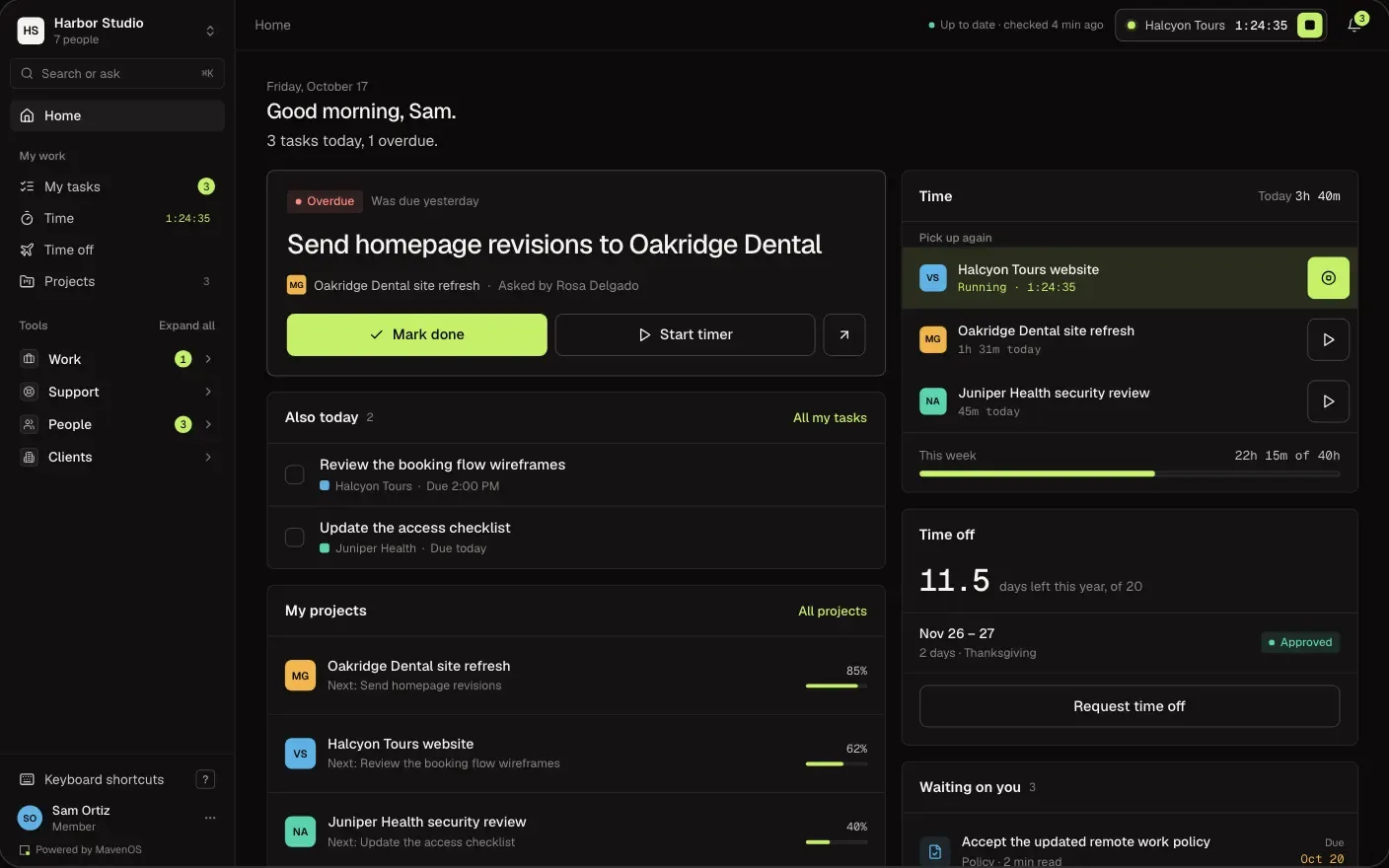
Home
Everyone Starts the Day in the Same Place.
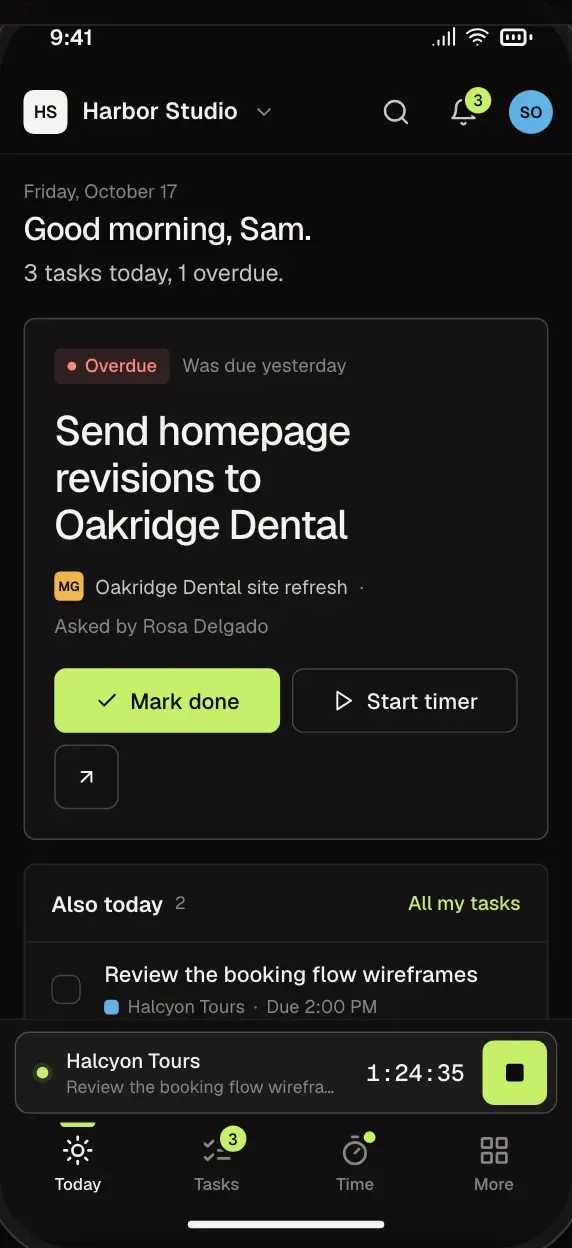
What's due, what's late and what's waiting on you, from the tools your workspace has on, in one place.
- Next meetings, one tap from their notes and to-dos.
- Time-off requests for whoever approves them (with the People tool).
- The timer, one tap away.
No. Start a timer, or add hours afterwards by tapping the day.
Whoever you set as a project's approver. Approvals show on their Home and work on a phone.
Once a month they're gathered into a draft invoice in Stripe, and you check it before anything is sent. It needs Stripe connected, a retainer project linked to a deal with included hours and an overage rate, and approved billable time.
Yes. A template sets up a project's phases and tasks in one step. Pick the client when you start it.
Team tasks are shared with the team. A private task is seen only by who made it, who is assigned, and owners and admins.
More of MavenOS.
All 15 ToolsRun the Business. Not the Spreadsheets.
We're letting businesses in a few at a time. Tell us a little about yours and we'll be in touch.