

MavenOSSales and Contracts
Quote From Your Own Prices.
Inquiries, deals, quotes and contracts in one line, from first hello to signed, with a draft deposit invoice in Stripe when Finance is on. Sales works on its own, and Finance and Contracts are optional. Each quote shows its margin to the people who can see profit, never to the client.
Your Pipeline, in Plain English.
What Most Tools Show
- Pipeline value48,200.00
- Stage age: Proposal6d
- Envelope statusPending
- Renewal notice30d
What MavenOS Says
- Three deals are in Proposal, worth about 48,200 dollars.
- Pellucid Coffee has had your proposal for 6 days.
- Marlow Architects hasn't signed yet.
- Marlow Architects' contract renews in 30 days. Time to decide?
Deals
Every Deal, From First Hello to Signed.
Inquiries from your website form, or ones you add or import, become deals, with the company, the people and every note in one place. Each one shows its stage and how long it's been waiting.
- Stages you set for open deals: add, rename, reorder and archive them in Sales setup. Won, Lost, Not applicable and Completed are always there and can only be renamed.
- An optional nudge when a deal has gone quiet: a task and a bell notice for the deal owner, after the number of days you choose. It needs the Workflows tool and is off until you switch it on.
- Won or lost in one tap, with the reason kept.
Quotes
Build the Quote From Your Own Prices.
Build a quote from the products and packages you saved, with quantities and a discount, and the total updates as you go. Once your products have estimated hours, a margin check shows the margin at the quoted price, warns when it is under your target margin, and says how much discount you can give or how many estimated hours to trim. Only the people who can see profit see it, and it is never printed or sent.
- Products and packages saved once, used everywhere.
- Quantities and a discount add up to the total.
- Clients see the quote in their portal and accept it.
Ready to Send
Drafts That Wait for a Person.
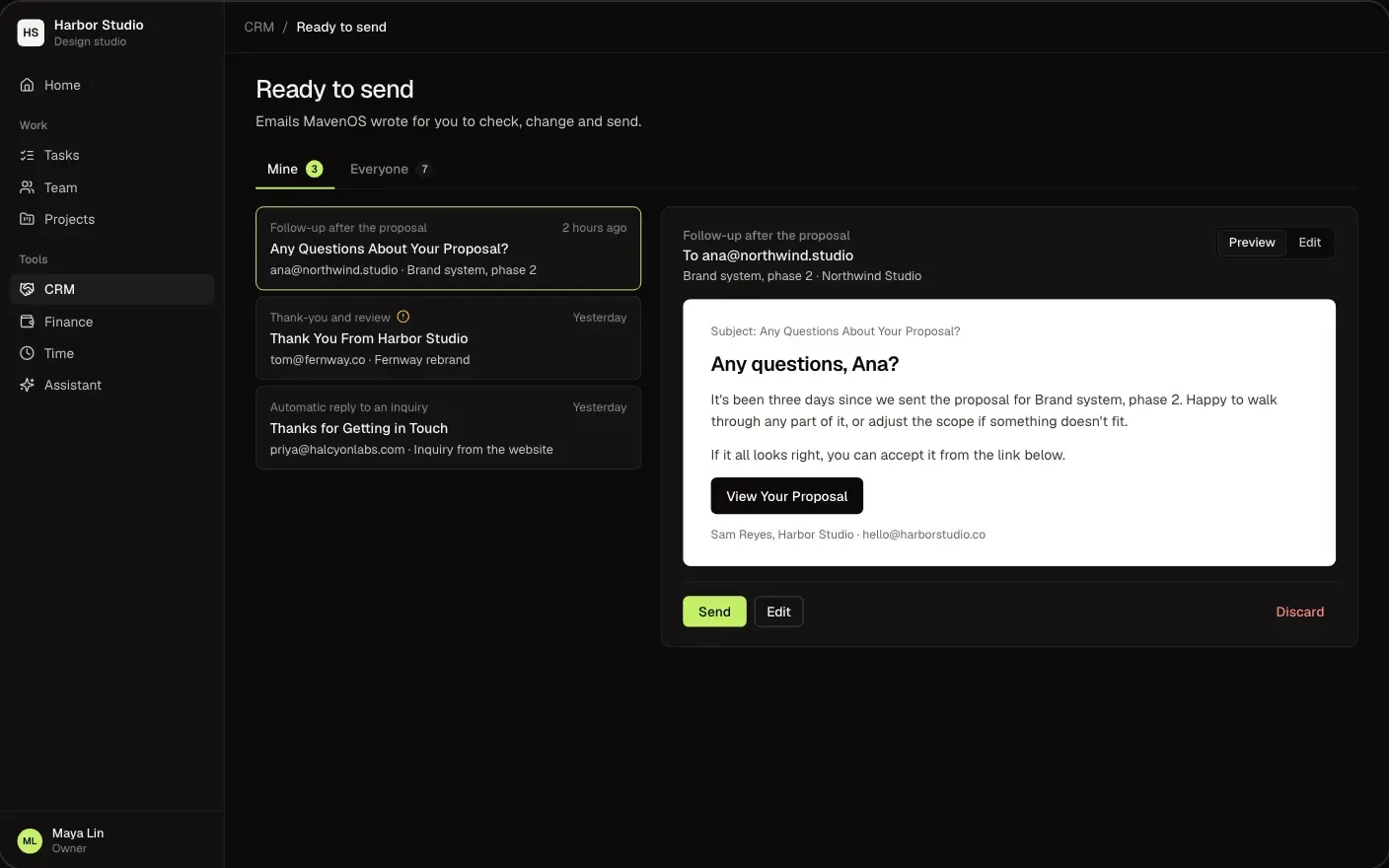
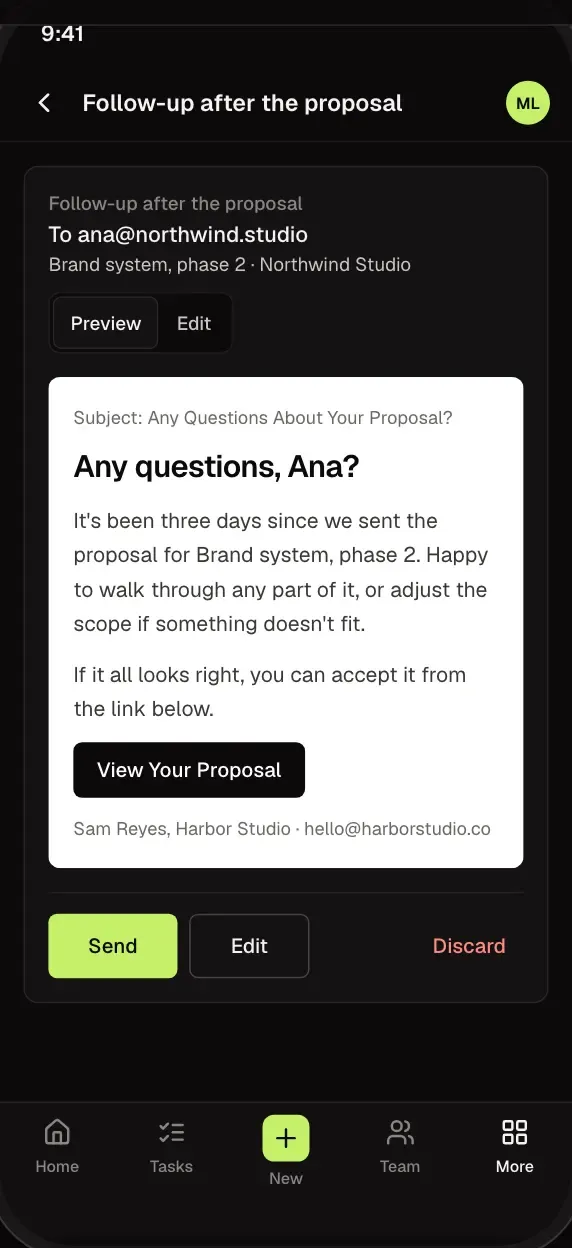
MavenOS drafts emails to your clients and waits for you to send them, all in one list. You can let a specific email send itself. Project update emails you switch on for the client portal, and reminders after a feedback request you send, go out on schedule.
- Edit any draft before it goes.
- Read each draft in full before it goes.
- Send or skip in one tap.
Contracts
Contracts That Remind You.
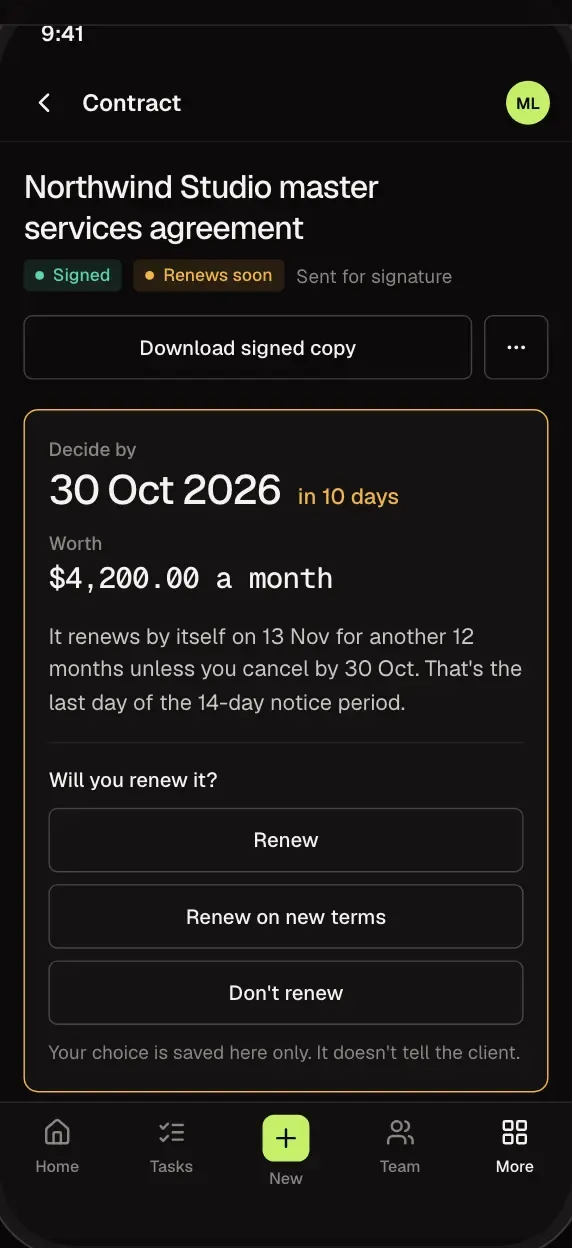
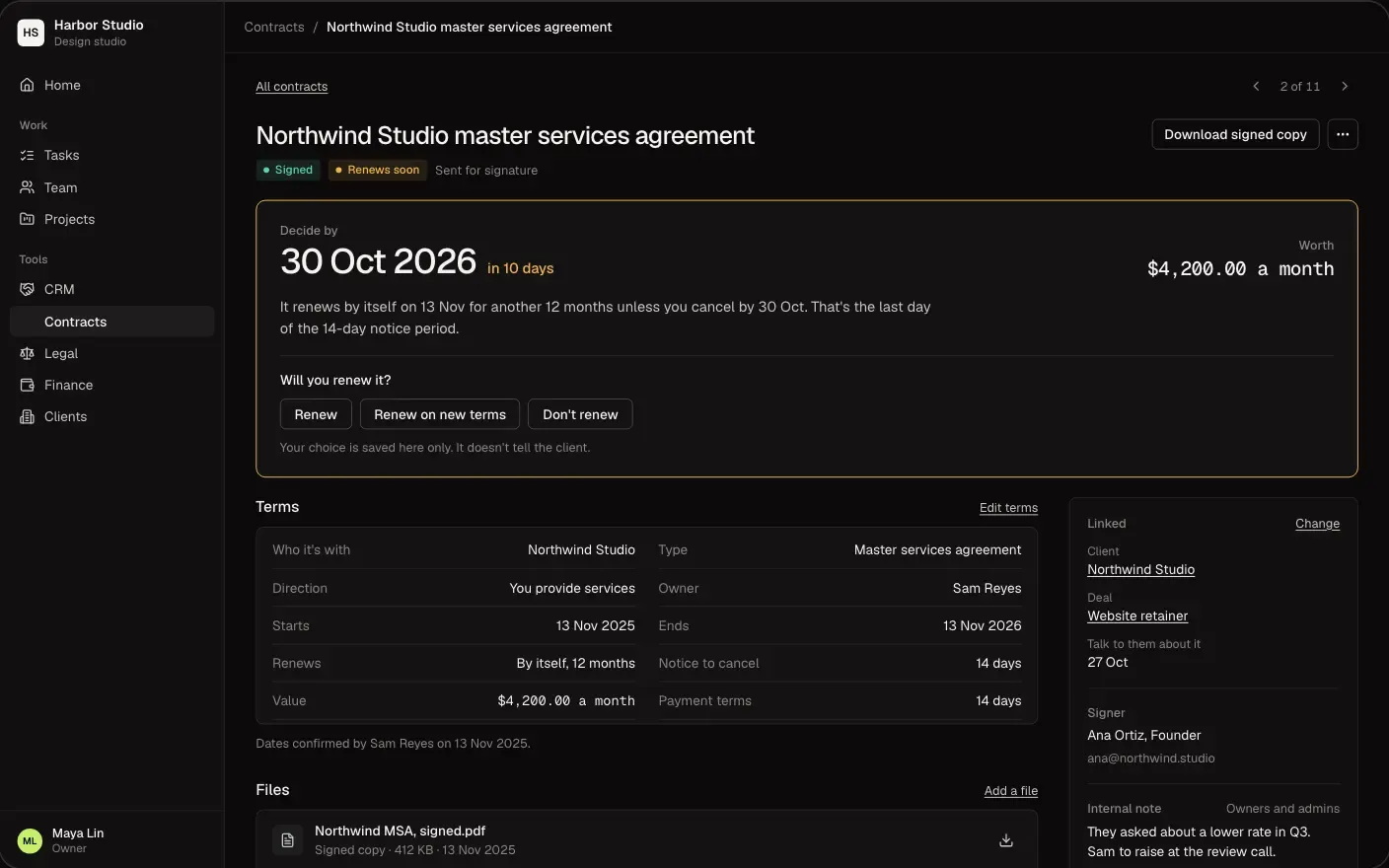
Send agreements for signature, keep each one with its dates, and hear about a renewal or notice deadline while there's still time to act.
- Write your own agreement templates and pick one when you prepare a proposal or onboard a client.
- See who has signed and who hasn't.
- Reminders before renewals and notice dates.
Sales Reports
Know Where Your Pipeline Stands.
For owners and admins: your open pipeline by stage, deals won and lost each month, how many deals have stalled, where deals are lost and why, how long each stage takes, which packages win, and a cut by person. Each one exports to CSV. It shows deal values only, never margins or costs.
- Open deals and their value by stage, and deals won and lost month by month. Deals with no movement for 30 days are counted as stalled.
- Where deals are lost and why, which packages win most often, and deals by owner or sales agent, with a CSV of each report.
- How long each stage takes, from when deal movement began to be recorded. Older imported deals show only time to win.
Yes, with Contracts on: agreements go out for signature by email, and the signed copy is kept with the client. Without Contracts, a client accepts a proposal by replying or in the portal. Contracts is optional with Sales.
Not unless you let it. Emails MavenOS writes for a client wait in Ready to Send until you approve them, and an owner or admin can switch a specific email to send itself. The exceptions are the project update emails you switch on for the client portal, and the reminders that follow a feedback request you sent.
Yes. You write your own agreement templates in Contracts, and you pick one each time you send an agreement. MavenOS does not come with a library of ready-made agreements.
Yes. Add, rename, reorder and archive the open stages. Won, Lost, Not applicable and Completed are always there and can only be renamed.
You start Onboard client from the deal and confirm it. In one step it sets up the customer in Stripe, a draft deposit invoice, the project, the contracts for signature and a welcome email, so nothing is typed twice. The invoice needs Finance and the contracts need Contracts; without them those steps are skipped and the rest still runs. Nothing starts by itself when a deal is marked won.
Your website form (your developer connects it), or added by hand or imported. Each one lands in Sales with the person and company attached.
More of MavenOS.
All 15 ToolsRun the Business. Not the Spreadsheets.
We're letting businesses in a few at a time. Tell us a little about yours and we'll be in touch.